Introduction
I redesigned my entire UX/UI process with AI. And no, it’s not just about asking ChatGPT for brainstorming ideas or generating random concepts. I mean a full overhaul, from ideation to clickable, client-ready prototypes. What used to take months now gets done in days.
Traditional design workflows are slow, repetitive, and mentally taxing. Designers spend countless hours on tasks like sketching wireframes, adjusting spacing, or ensuring accessibility, tasks that are important but tedious. The result? Designers have limited time and energy to focus on creativity, problem-solving, and crafting meaningful user experiences. The frustration of repetitive tasks can reduce productivity and limit innovation, leaving both designers and clients feeling constrained.
AI shouldn’t be viewed as competition. Instead, it’s a partner that accelerates workflows, eliminates repetitive work, and empowers designers to focus on high-value creative thinking. By integrating AI throughout the design process, designers gain more bandwidth to experiment, iterate, and innovate. Rather than replacing designers, AI complements their work, allowing them to spend more time thinking strategically about user experiences, interactions, and brand storytelling. In this blog, I’ll take you step-by-step through my AI-enhanced design workflow, sharing examples, practical tips, and actionable insights. You’ll see how AI can transform every stage, from user flows to prototypes, and learn how to embrace AI as a co-designer rather than compete with it.
The Old Workflow vs. AI-Enhanced Workflow
The traditional UX/UI workflow often feels painfully slow. Designers move through brainstorming, wireframing, building design systems, prototyping, and handing off to developers. Each step can involve hours of repetitive work. Brainstorming requires multiple sessions to align with stakeholders. Wireframes demand careful placement of elements. Design systems must ensure consistency in spacing, typography, and color palettes. Prototyping requires linking screens manually. By the time a design is complete, weeks, or even months, may have passed.
AI changes the game. Each step of the workflow becomes faster, smarter, and more iterative. Brainstorming, user flows, wireframes, and design systems can now be generated within minutes. AI handles the repetitive work while designers focus on higher-level decisions: user experience, interaction patterns, and creative problem-solving.
For instance, I recently redesigned a SaaS dashboard. Previously, creating the sitemap, user journeys, and logic flows would have taken a full week. With ChatGPT, I produced a complete user flow in under an hour. What used to take months now happens in days. The AI-assisted process allows for rapid iteration: I review outputs, tweak them based on insights, and move forward confidently.
This transformation doesn’t just save time, it shifts the role of the designer. No longer bogged down by technical tasks, designers can act as orchestrators, guiding AI to generate meaningful outputs and refining them to meet human needs.
Instant User Flows
User flows are critical to understanding how users interact with a product. Traditionally, creating flows involved whiteboarding, sticky notes, and numerous revisions, a process prone to errors and delays. AI now automates this step, producing structured flows in minutes.
I feed rough product ideas into ChatGPT, specifying context and expected outcomes. The AI outputs a sitemap, detailed user journey, and logical decision flows. The clarity of these outputs accelerates planning and reduces cognitive load.
Prompting effectively is essential. Instead of generic commands like “Create a dashboard flow,” I provide detailed instructions: “Design a SaaS metrics dashboard journey including log-in, KPI overview, filtering options, exporting reports, onboarding screens, and error handling.” The AI produces a complete, actionable flow.
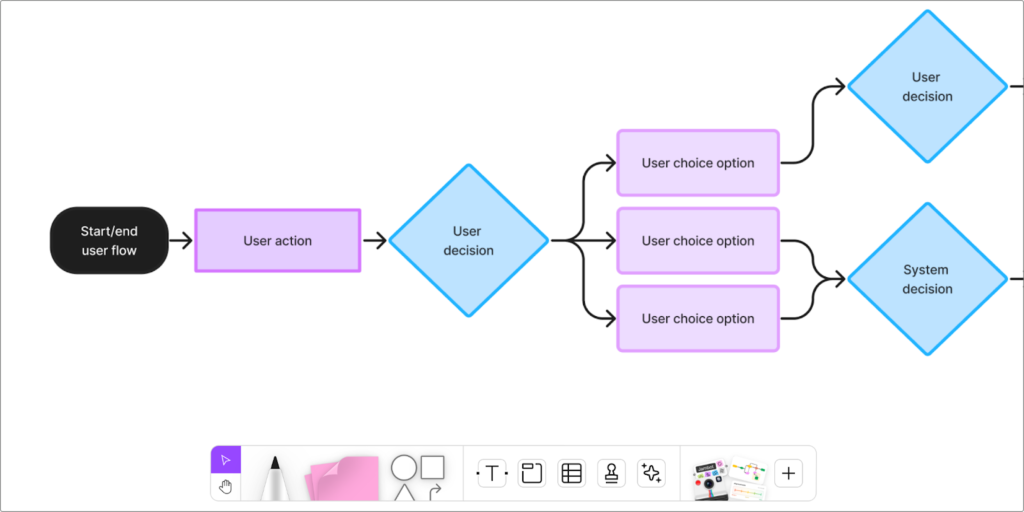
The benefits are clear: faster iteration, less mental fatigue, and structured outputs ready for review or handoff. For example, while designing a subscription management tool, AI generated the entire flow from account creation to payment processing, with onboarding and error states included. I only needed to refine a few steps based on user testing and client feedback.
This approach doesn’t replace the designer; it enhances their ability to think strategically. Designers still evaluate the flows, ensure they meet user goals, and maintain empathy-driven decision-making. AI simply accelerates the drafting and iteration phase, allowing designers to focus on the human experience.
Wireframes Without Drawing
Wireframing has traditionally required hours of careful sketching and layout adjustment. Even with digital tools, designers spend significant time dragging elements, adjusting spacing, and ensuring visual hierarchy. AI has made this process almost instantaneous.
Tools like Magician, Galileo AI, and Uizard allow designers to describe a layout in plain English and receive functional wireframes in minutes. For example: “Design a dashboard for SaaS metrics tracking with hero section, KPIs, notifications, and recent activity table.” AI generates a layout including hero sections, call-to-action buttons, and testimonial blocks.
This dramatically reduces time spent on repetitive tasks while allowing designers to focus on UX thinking. Multiple layout variations can be tested quickly, making experimentation feasible without consuming excessive time.
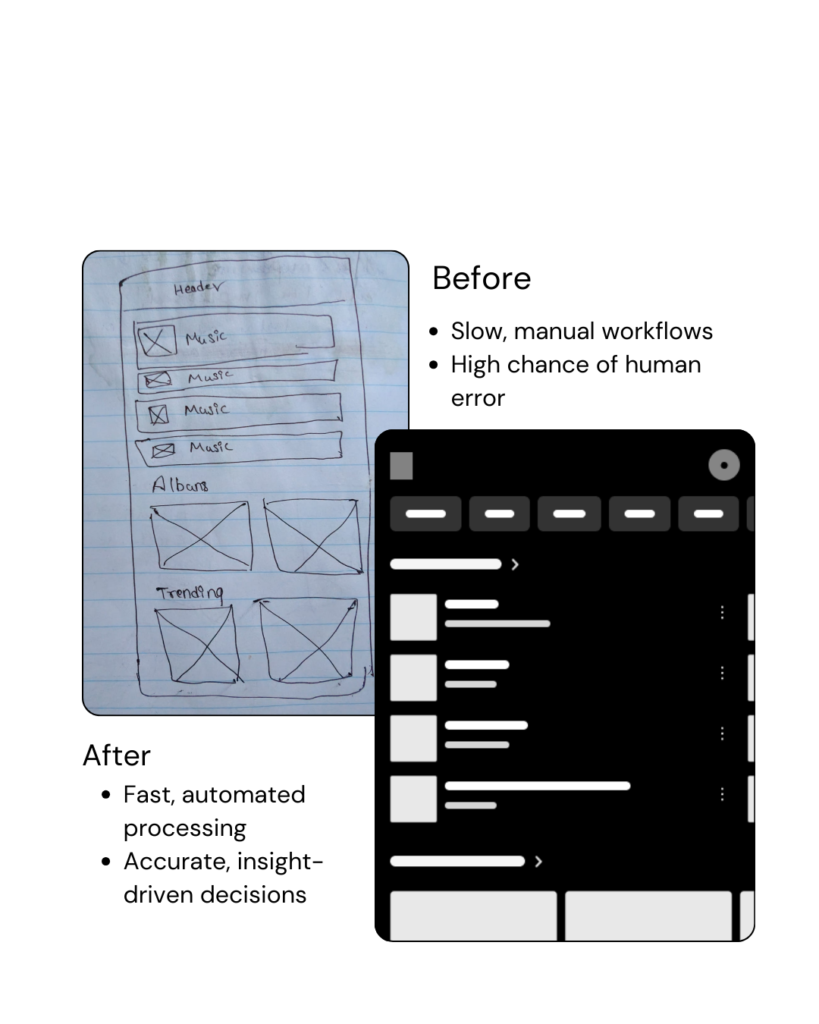
Wireframing with AI does not remove human judgment; it enhances it. Designers decide which features and content are prioritized, how interactions are structured, and what the overall experience communicates. AI handles technical layout tasks, leaving designers free to innovate and iterate creatively.
By removing the tedious aspects of wireframing, AI enables faster design cycles, more confident experimentation, and ultimately better products.
AI-Built Design Systems
Creating a design system manually, spacing, typography, colors, buttons, can take weeks. AI tools like Coolor and Figr Identity can generate complete systems from a brief description, for instance: “Modern, minimal, tech-focused SaaS dashboard.”
AI ensures consistent spacing, typography, and component styling. Designers can fine-tune outputs rather than starting from scratch, saving hours or even days. A design system generated with AI can be ready for client review and developer handoff within minutes.
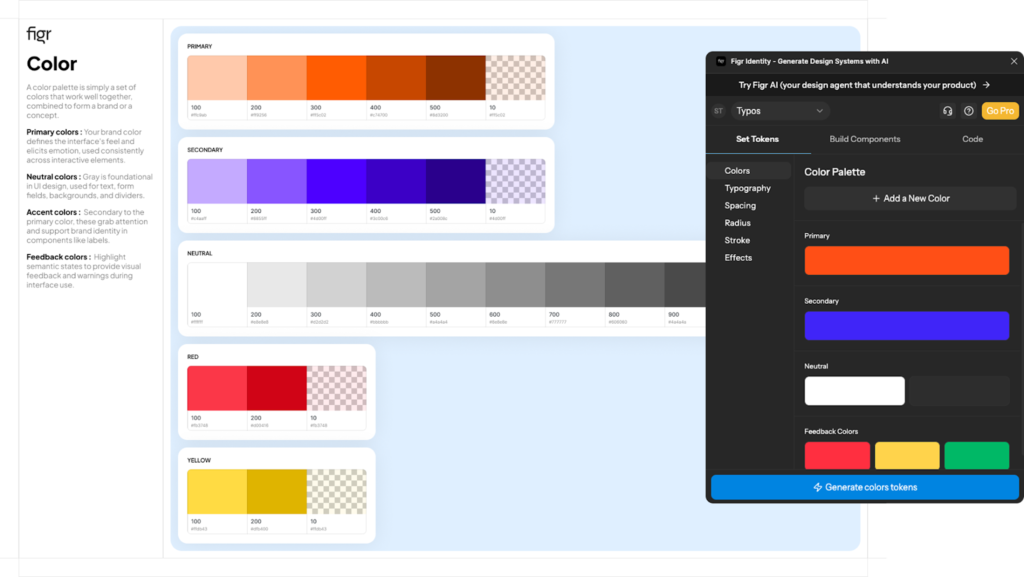
Benefits include speed, consistency, and reduced human error. Components maintain cohesion across screens, accessibility guidelines can be incorporated automatically, and the design system scales effortlessly across multiple projects.
Smarter Figma Time
Once the design system is established, everything moves into Figma. AI-powered plugins handle auto-spacing, responsiveness, and accessibility checks. This eliminates the need for designers to manually adjust every element or verify alignment across screens.

With these AI tools, designers focus on storytelling, interaction, and user experience rather than technical adjustments. Iteration becomes faster, experimentation easier, and output quality higher. Accessibility compliance, such as contrast checks, is automatically ensured, reducing manual errors.Image Placeholder: Figma interface with AI plugin sidebar.
Plugins & Tools Links: Figma AI plugins
Auto-Prototyping & Human Microcopy
Prototyping can be a bottleneck if screens are manually linked and microcopy is written from scratch. AI can automatically connect flows into clickable prototypes and generate natural, on-brand microcopy.
ChatGPT and Jasper help craft buttons, onboarding text, tooltips, and other microcopy. Combined with Adobe Color Contrast Analyzer, accessibility is maintained automatically.
For example, I recently created an onboarding flow for a SaaS product. AI auto-connected screens and suggested microcopy, resulting in a functional, client-ready prototype in under an hour, a process that would have previously taken days.
AI as a Co-Designer
AI doesn’t replace designers, it removes repetitive, mundane tasks. Designers can focus on problem-solving, creativity, and crafting meaningful experiences.
“It’s not about working faster. It’s about designing smarter.”
Collaborating with AI allows designers to orchestrate workflows rather than execute tedious tasks. By guiding AI, refining outputs, and ensuring alignment with user needs, designers maintain empathy and creative control.
The 2030 designer’s role will be as a strategic co-designer: guiding AI, maintaining human-centered decision-making, and ensuring outputs align with brand and UX principles. AI enhances creativity while preserving the human touch.
Best Practices for Collaborating With AI
- Treat AI as a partner, not a replacement.
- Provide clear, contextual prompts for better results.
- Iterate collaboratively: refine AI outputs rather than accepting them blindly.
- Maintain design judgment: AI suggestions are tools, not rules.
Recommended tools: ChatGPT,Uizard,Galileo AI,Coolor,Figr Identity,Jasper.
Integrating AI thoughtfully across workflows maximizes efficiency and creativity. Designers should use AI for repetitive tasks while maintaining oversight, ensuring outputs remain human-centered.
Conclusion
AI accelerates workflows, enhances creativity, and preserves designers’ strategic thinking. By integrating AI from ideation to prototyping, designers gain more time for high-value tasks and iterative design.
The mindset shift is critical: stop competing with AI; start co-designing with it. Embrace AI as a collaborator, maintain human insight, and use technology to enhance, not replace, your design process.
Looking ahead, the 2030 design workflow will rely on AI as a trusted partner, enabling smarter, faster, and more user-centered design. Designers who master this collaboration will create better products, delight clients, and unlock their full creative potential.