Flutter is famous for its rich widget catalog. Need a button? There’s one. A card, a list, an animation? Flutter has you covered.
Yet, hidden beneath this declarative widget paradise lies one of Flutter’s most powerful—and most underused—tools: CustomPainter.
If you’ve ever tried to build charts, custom loaders, game-like visuals, signature pads, maps, or highly optimized animations, you’ve probably felt the limits of widgets. That’s exactly where CustomPainter shines.
Let’s start from the basics and build up to why this tool matters so much.
1. What is CustomPainter?
CustomPainter is Flutter’s low-level drawing API. It allows you to draw directly on a canvas using shapes, paths, text, gradients, images, and transforms.
At its core, a CustomPainter is just a class with two methods:
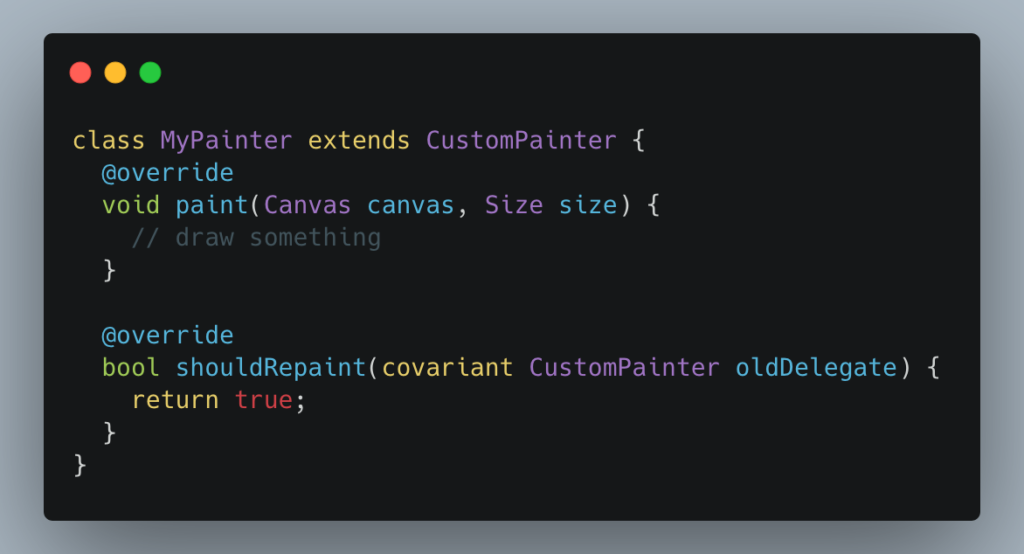
You then attach it to a widget:
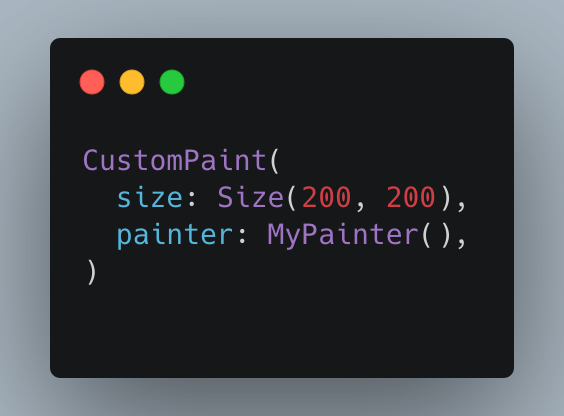
This bypasses the widget tree and paints pixels directly.
2. Why Do We Need CustomPainter?
Widgets Are Great—Until They Aren’t
Flutter widgets are declarative and composable, but they can become inefficient or awkward when:
- You need fine-grained control over visuals
- You’re drawing hundreds or thousands of elements
- You want non-rectangular shapes
- You need pixel-perfect rendering
- You’re building animations that update every frame
Consider drawing 200 circles.
Widget approach:
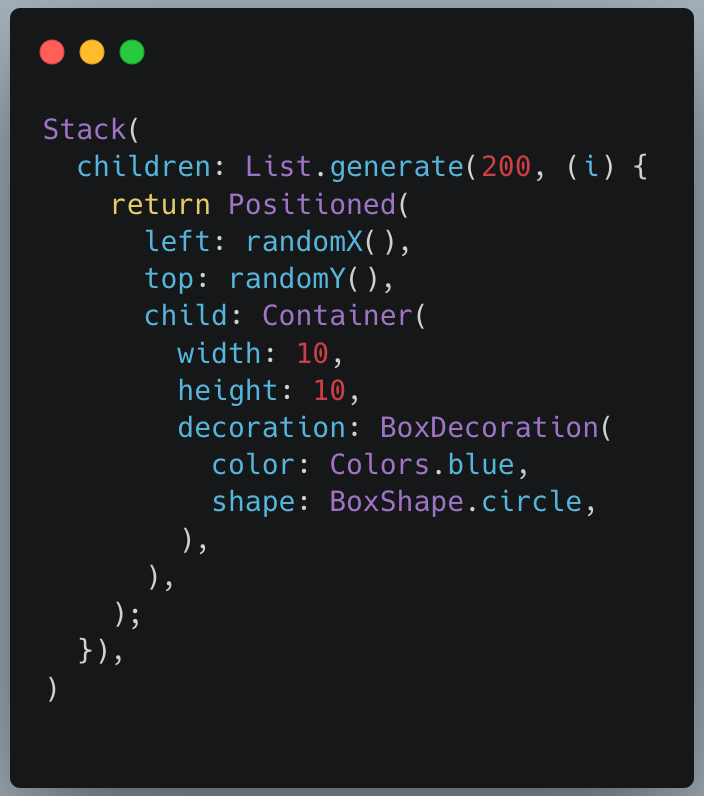
This creates 200 widgets, each with layout, build, and paint phases.
CustomPainter approach:
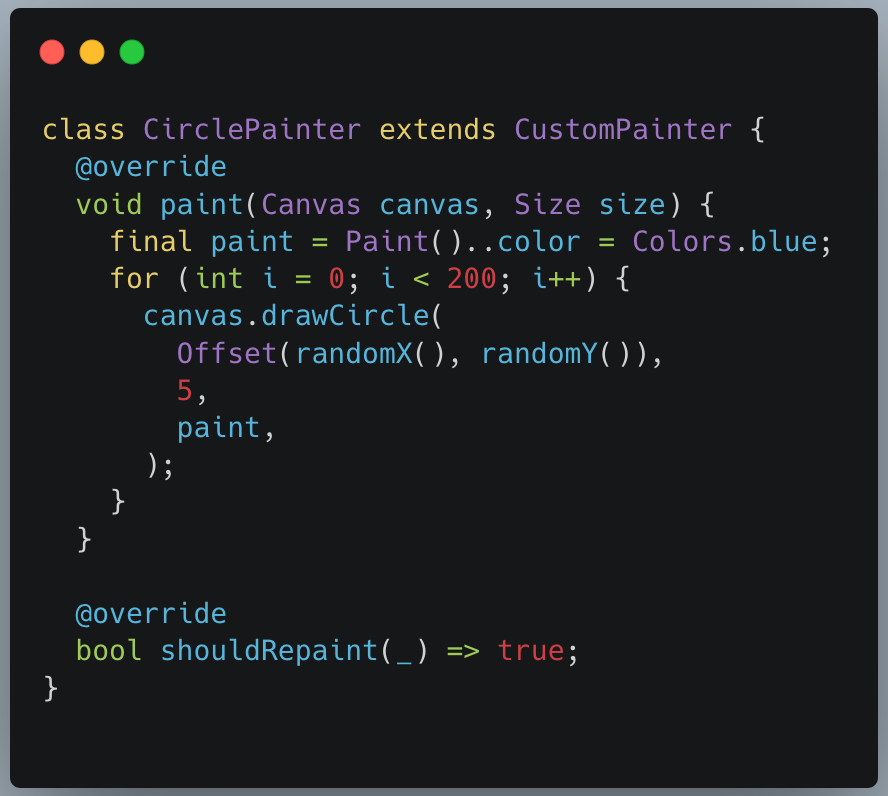
One widget. One canvas. Massive performance win.
3. Under the Hood: Skia
Flutter doesn’t use native platform UI components. Instead, it uses Skia, a high-performance 2D graphics engine also used by:
- Chrome
- Android
- Firefox
When you use CustomPainter, you’re essentially talking directly to Skia through Flutter’s Canvas API.
That’s why CustomPainter can:
- Render consistently across platforms
- Animate smoothly at 60–120 FPS
- Handle complex vector graphics efficiently
Think of widgets as high-level abstractions and CustomPainter as raw drawing power.
4. Declarative Painting (Widget-Based)
Flutter’s default approach is declarative:
“Describe what the UI should look like, and Flutter figures out how to render it.”
Example: Drawing a progress indicator declaratively.
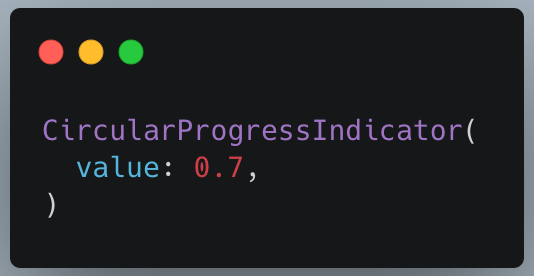
You don’t care how it’s drawn—only what it represents.
Pros
- Easy to reason about
- Reactive to state changes
- Less code
- Less bug-prone
Cons
- Limited customization
- Performance overhead for complex scenes
- Hard to express non-standard visuals
Declarative painting is best when:
- UI is mostly static
- Built-in widgets suffice
- Custom visuals are minimal
5. Imperative Painting (CustomPainter)
CustomPainter is imperative:
“Here is a canvas. Draw exactly this.”
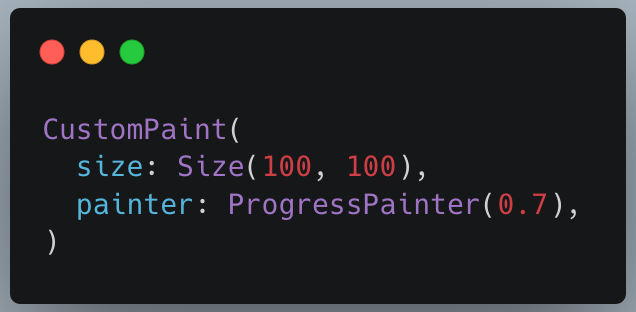
Example: Drawing a custom circular progress arc.

Used like this:
Pros
- Pixel-perfect control
- High performance
- Ideal for animations and data visualization
Cons
- More math
- More responsibility
- Harder to maintain if misused
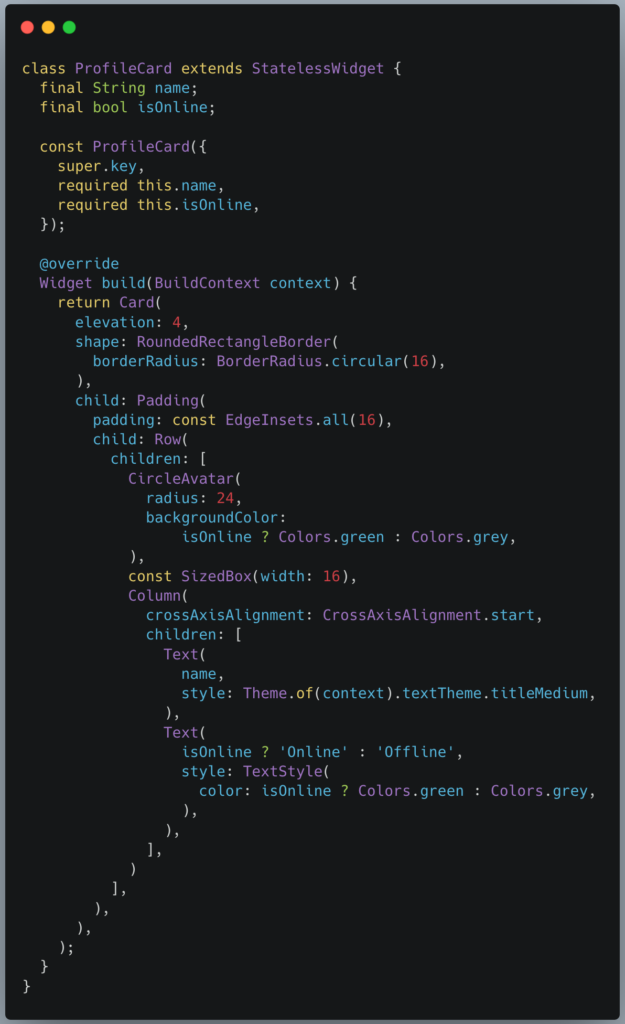
Example 1: Where Widgets Shine (Declarative Strength)
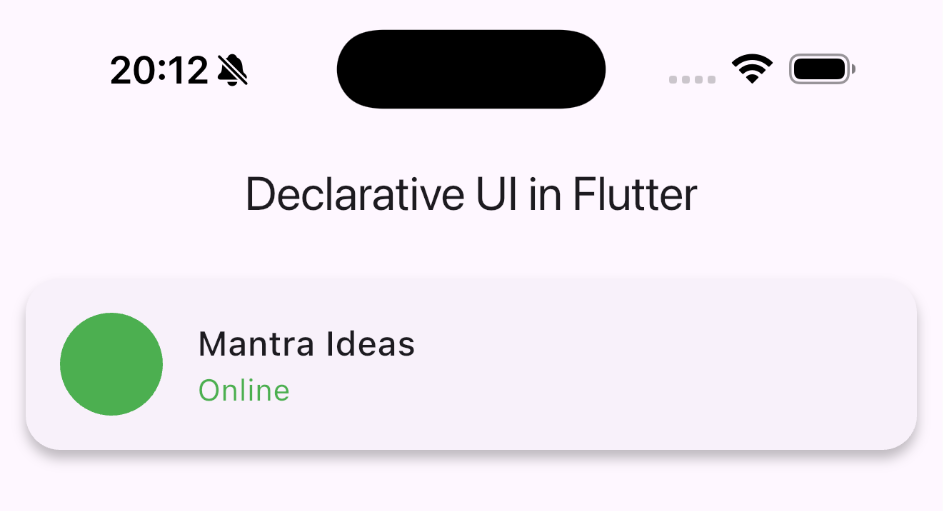
Example: Responsive Card with State & Accessibility
Problem
Build a UI component that:
- Adapts to screen size
- Responds to state changes
- Supports accessibility, theming, and gestures
Declarative (Widget-Based) Solution
Why CustomPainter Would Be a Bad Idea Here
Using CustomPainter for this would mean:
- Manually drawing text, circles, padding
- Handling tap gestures yourself
- Losing accessibility & semantics
- Harder state updates
Example 2: Where CustomPainter Dominates (Imperative Strength)
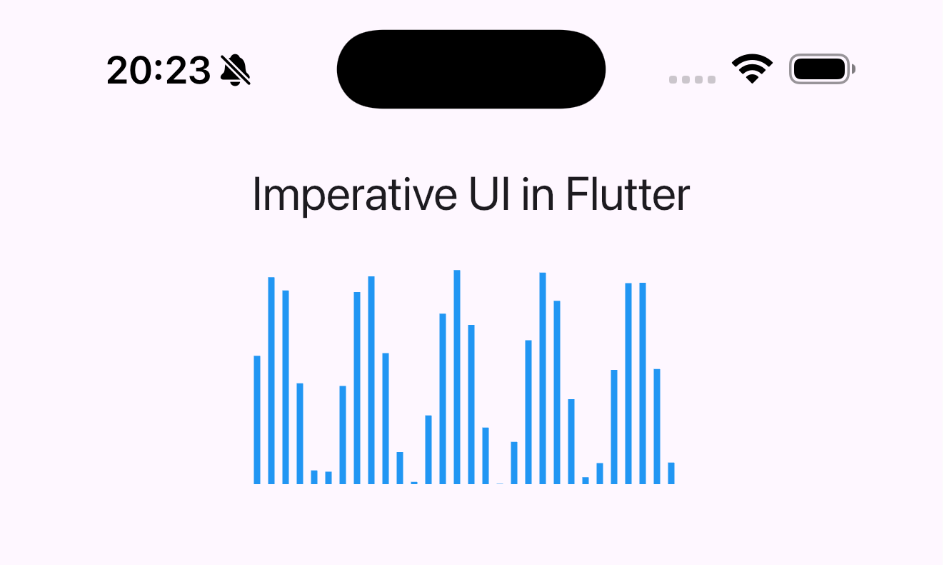
Example: Animated Audio Waveform
Problem
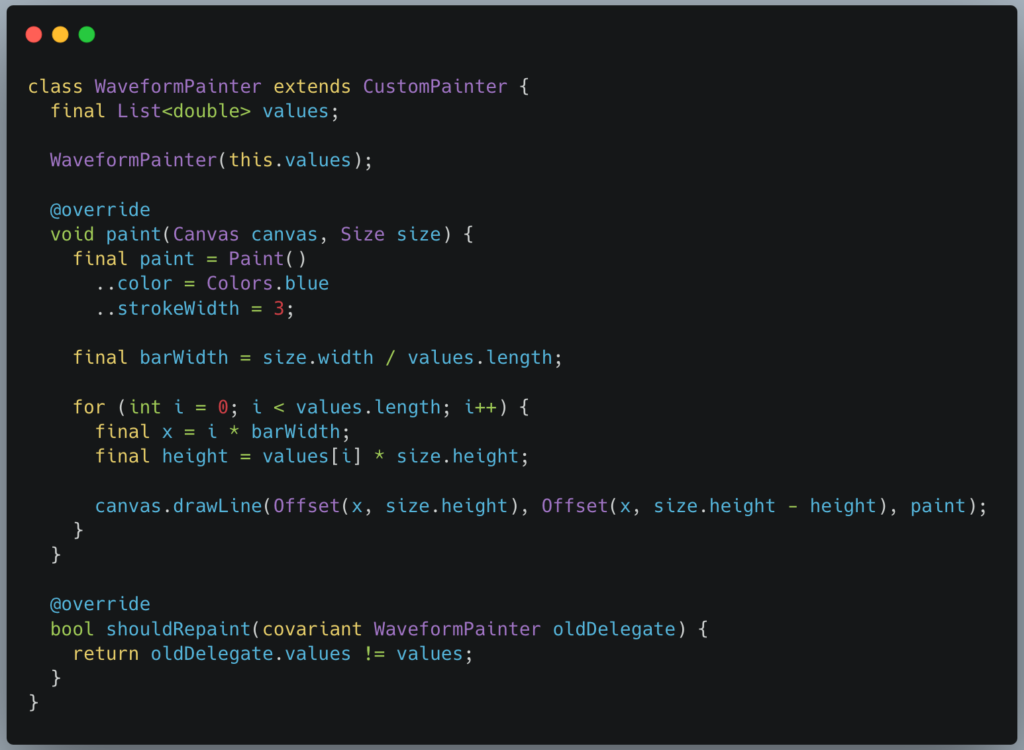
Render hundreds of animated bars at 60 FPS.
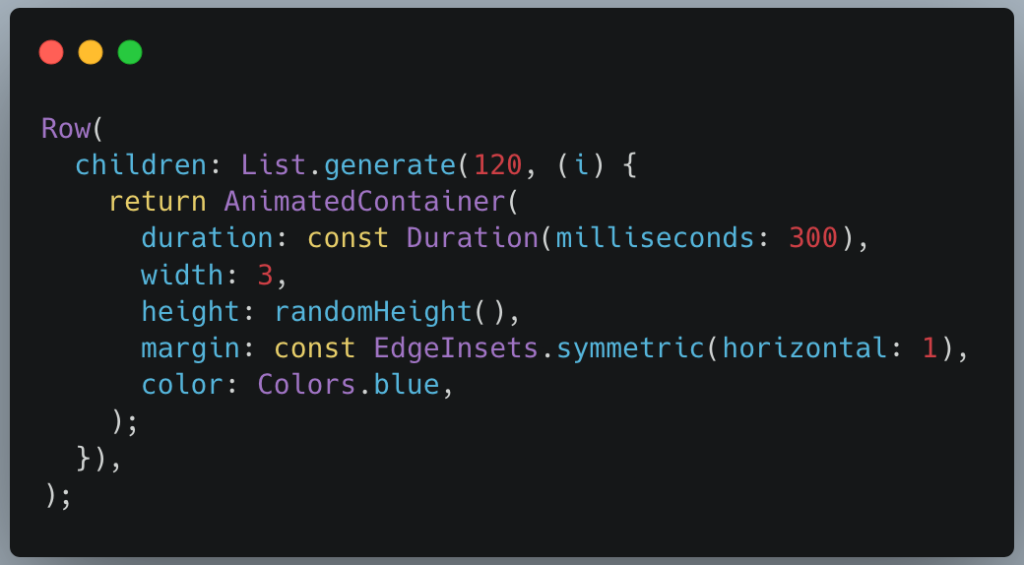
Widget-Based Attempt
Problems
- 120 widgets
- 120 animations
- Layout + build overhead
- Frame drops on low-end devices
CustomPainter Solution
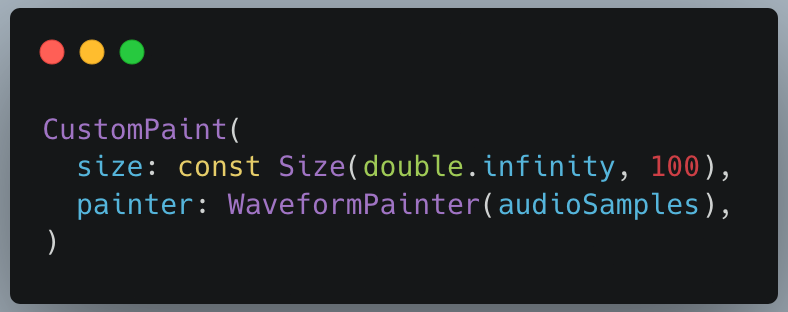
Used as:
6. Watching for Changes: shouldRepaint
This method is critical and often misunderstood.
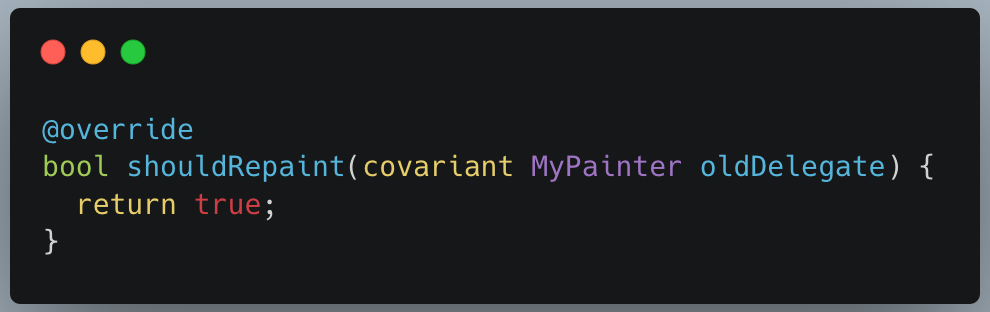
Returning true means:
“Repaint every time, no matter what.”
That’s usually wrong.
A better approach:
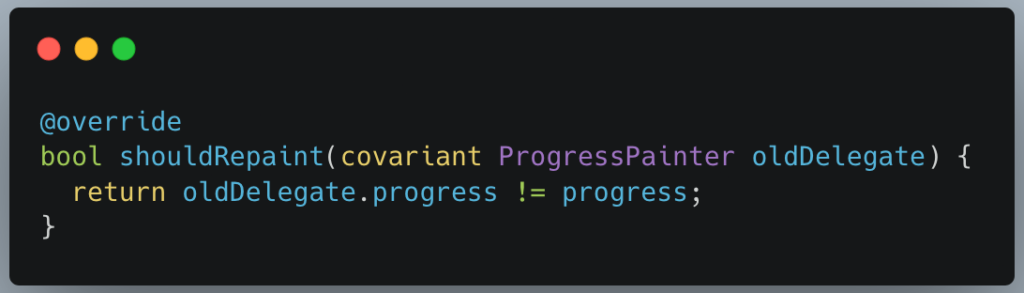
Flutter will only repaint when something actually changes.
Rule of Thumb
- Animations → repaint often
- Static art → repaint rarely
- Large canvases → be very selective
7. Declarative vs Imperative: When to Use What
| Scenario | Best Approach |
| Standard UI | Widgets |
| Buttons, forms, layouts | Declarative |
| Charts & graphs | CustomPainter |
| Games & simulations | CustomPainter |
| Custom loaders | CustomPainter |
| Simple icons | Widgets |
| Thousands of shapes | CustomPainter |
A powerful pattern is hybrid usage:
- Widgets for layout and interaction
- CustomPainter for visuals
8. Common Use Cases for CustomPainter
- Line, bar, and pie charts
- Audio waveforms
- Drawing & signature apps
- Custom sliders
- Map overlays
- Particle systems
- Shimmer and skeleton loaders
- Game UIs
Once you start noticing them, you’ll realize many “impossible” UI designs are just CustomPainter in disguise.
9. Why It’s Underused
Despite its power, many developers avoid CustomPainter because:
- It feels “low-level”
- It involves math
- It’s less documented than widgets
- It doesn’t fit the typical Flutter mental model
But learning CustomPainter is like learning CSS Canvas or SVG, except it’s faster, safer, and cross-platform.
10. Conclusion
CustomPainter is not a replacement for widgets—it’s a superpower that complements them.
If widgets are Lego blocks, CustomPainter is the 3D printer.
Once you understand:
- how Skia works,
- when to paint imperatively,
- and how to control repaints,
you unlock a whole new level of Flutter development.